Use the arrow keys to move between letters. Press Enter or Space on the first letter of a word, then again on the last letter. Press Escape to cancel.
A few of the words
- TINFOIL
- Wrapping aluminum foil around rabbit-ear tips became a genuine folk fix, the foil increased the effective surface area of the antenna, pulling in a stronger signal on UHF channels.Find this word in the grid to read its note.
- SNOW
- Broadcasters called random-noise interference 'snow' because the flickering white dots on screen looked remarkably like a blizzard, the term appeared in television engineering manuals as early as the 1940s.Find this word in the grid to read its note.
- ROOFTOP
- A rooftop antenna could pull in stations from 50 or more miles away on a clear day, making it a prized neighborhood fixture in the early decades of broadcast television.Find this word in the grid to read its note.
- RECEPTION
- TV reception quality depended heavily on geography, living in a valley or behind a hill could mean the difference between a crisp picture and an unwatchable wall of static.Find this word in the grid to read its note.
armchairpuzzles.com · free large-print word searches
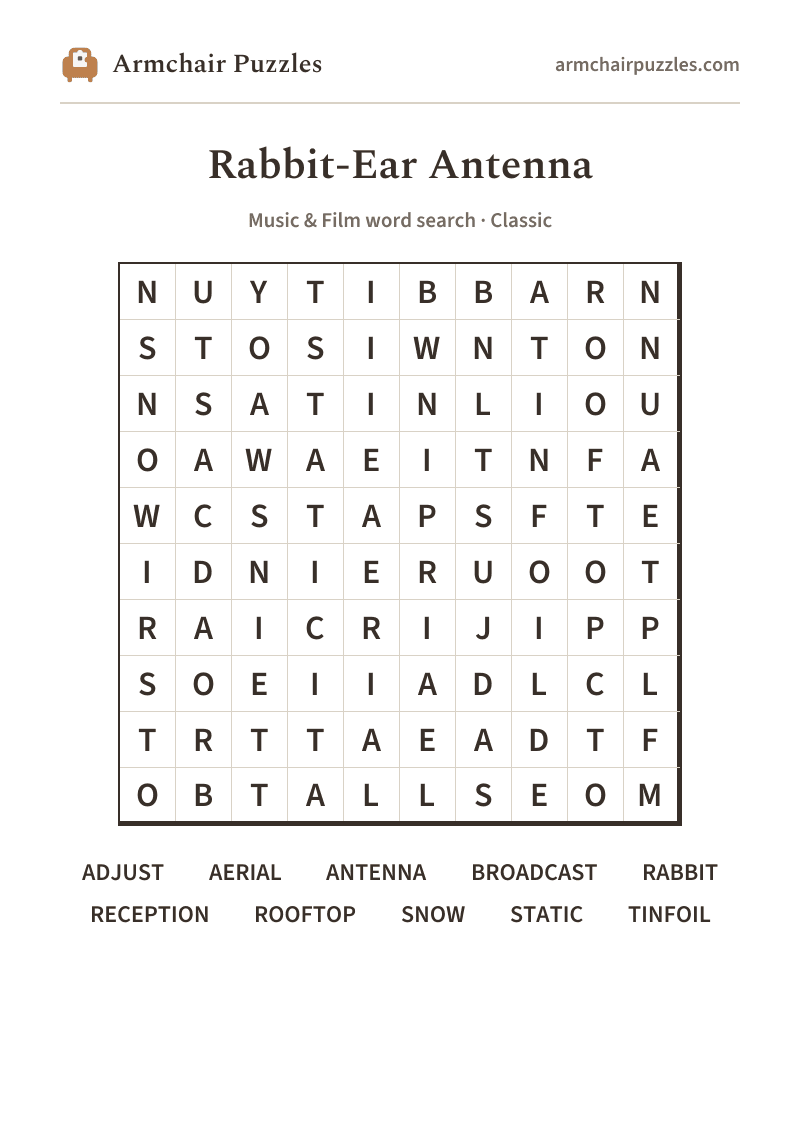
rabbit ear antenna word search
Rabbit-Ear Antenna: a free online word search
Rabbit-ear antenna word search, free and printable. Twist the knob, tilt the aerial, and chase that clear picture through the hiss and snow.
About Rabbit-Ear Antenna
Before cable snaked into the living room, a good picture was earned. You angled the rabbit ears, wrapped a little tinfoil around the tips, and held your breath while someone across the room called out "that's it, don't move!" The rooftop aerial was a step up, but even then, a passing thunderstorm could turn your favorite show into a blizzard of static. That dance between viewer and antenna was its own kind of ritual, patient, tactile, and oddly satisfying when the signal finally locked in clean.
How to play
- 1Find a word.Tap its first letter, then tap along to its last. The trail fills in and finishes itself when it spells a word. Or press the first letter and drag.
- 2Words run in straight lines.Across and down, and on the harder difficulties diagonally and backwards.
- 3It marks itself.Each word you find takes on its own soft color on the grid and is crossed off the list.
- 4Choose a difficulty.Relaxed, Classic or Challenging set those directions and how much the word list helps, never the grid size. Tap the A buttons at the top to enlarge the letters, or pinch the grid.
Prefer pen and paper?
A clean, large-print sheet. Free, and no sign-up.